Desktop Staplers for a Home Office: Capacity, Reach, and Refill Fit
Product links are for reference. Verify current details on the retailer page before buying.
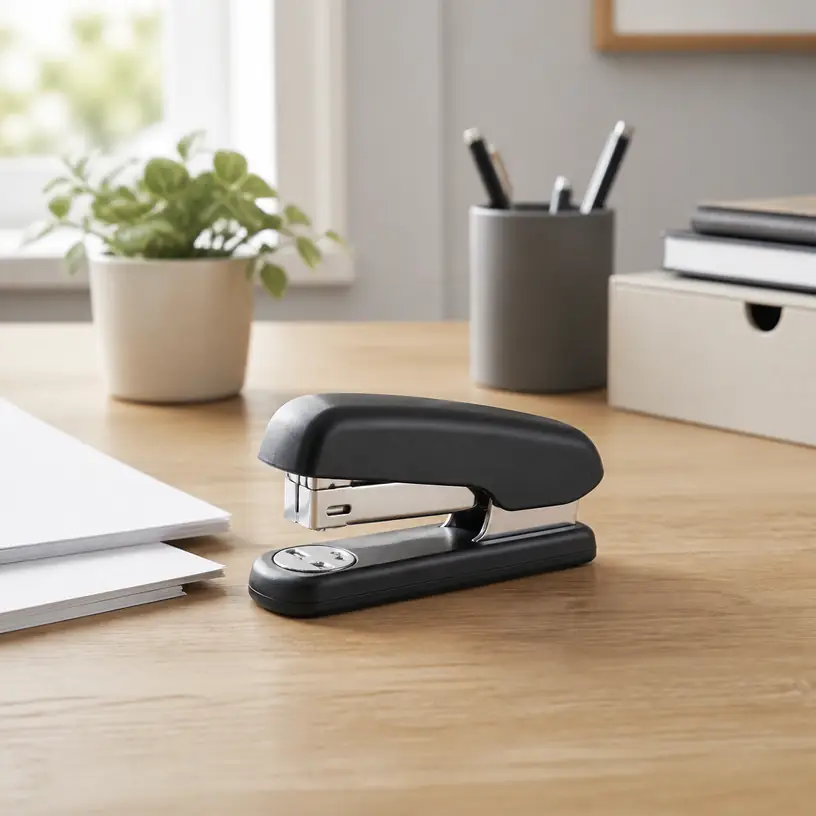
Illustrative image, not an official product photo.
Short answer
For occasional forms, school papers, and household records, a compact desktop stapler should be easy to refill, steady under one hand, and compatible with staples you can identify and replace. Do not judge it by appearance alone. Compare the stated sheet capacity with the size of your usual packets, check the exact staple series and leg length, and look at throat depth if the staple must sit farther from an edge. A grippy base, visible refill window, accessible jam path, and comfortable press area can matter more in daily use than a sleek shell. If you regularly bind thick reports, fasten cartons, or tack material to a surface, a standard desk model is probably the wrong mechanism.
Search reference
Desktop stapler options for a home office
Compare refill specifications, practical capacity, reach, loading access, footprint, and jam-clearing instructions for the paperwork you handle.
View matching optionsStart with the packets on your desk
A stapler that is comfortable for two receipts and a cover note may not be the right tool for a monthly report. Before comparing products, collect a few representative packets and count the sheets. Note whether they are ordinary printer paper, heavier cover stock, folded documents, or mixed materials. Thickness and stiffness vary, so a sheet-capacity figure is a useful comparison point rather than a guarantee for every stack.
Choose some margin above your normal packet instead of planning to operate at the stated maximum every time. More capacity is not automatically better: a larger mechanism can occupy extra desk space, require a different refill, or feel unnecessarily bulky for light paperwork. The goal is a comfortable match for repeat jobs, with an alternative method available for rare oversized bundles.
Placement matters as well. Most home-office tasks use a staple near a top corner, where a shallow-reach stapler works well. Booklets, folded handouts, and center-line fastening demand a longer reach or a dedicated long-arm design. Measure the distance from the paper edge to the desired staple position. Overall product length does not reveal the usable throat depth, so look for that measurement explicitly.
Staple compatibility is the key specification
Staples that look similar are not necessarily interchangeable. The product information or manual should name the supported staple type, crown format, and leg length. Match that wording when buying refills rather than relying on a picture or a broad phrase such as “standard staples.” Regional naming, wire gauge, strip length, and cartridge systems can differ.
Leg length helps determine how much material a staple can pass through and still fold underneath, but using a longer refill in an incompatible stapler can lead to jams or poor clinching. The stapler mechanism, driver, magazine, and anvil all have to be designed for the refill. If a listing gives several capacities, check which approved staple size corresponds to each one.
A home office also benefits from refills that are easy to source locally or reorder by an unambiguous specification. Proprietary cartridges may offer convenient loading in a compatible tool, while conventional strips can be simpler to find. Either approach can work; the important question is whether you can identify the refill later without guessing.
Who this is for
- People assembling short reports, forms, receipts, school papers, and household records at a desk.
- Remote workers who want a dedicated paper fastener that remains ready beside a printer or filing area.
- Shared study spaces where straightforward loading and clearly labeled refill storage reduce confusion.
- Buyers replacing a lightweight stapler that slides, tips, or feels uncomfortable during routine jobs.
- Anyone whose usual staple position is near the paper edge and whose packets stay within standard desktop capacity.
Who should skip it
- Use a heavy-duty stapler or another binding method for consistently thick packets beyond desktop capacity.
- Choose a long-arm or booklet stapler when the fastener must reach the center of folded pages.
- A standard office stapler is not a substitute for a carton stapler, staple gun, upholstery tool, or construction fastener.
- Consider a staple-free fastener for very small packets if avoiding metal fasteners matters more than holding strength or capacity.
- A compact model may be unnecessary if almost all documents are stored and shared digitally.
What to verify before buying
- Supported refills: Record the exact staple series, compatible leg lengths, and any cartridge requirements.
- Sheet capacity: Compare the stated capacity with your typical paper weight and packet size, leaving useful margin.
- Throat depth: Check the usable reach from the paper edge to the staple position, not just the stapler’s total length.
- Loading method: Confirm whether the magazine opens from the top, front, rear, or bottom and how its latch works.
- Remaining-staple view: Look for a refill window or another way to check the strip before a larger task.
- Jam access: Find the manufacturer’s clearing instructions and determine whether the magazine can be opened without improvised prying.
- Base and footprint: Compare desk dimensions, rubber contact points, and whether the base remains stable during a one-handed press.
- Clinching options: Verify the intended anvil positions and whether temporary pinning or flat opening is actually supported.
- Package contents: Check whether staples are supplied and, if so, whether they match the refills you intend to keep.
Loading should be obvious before the first jam
Top-loading designs often expose the magazine when the upper arm is lifted. Other models use a spring-loaded channel, rear pusher, or cartridge. None is inherently best for every user, but the sequence should be clear and should not require forcing plastic parts. Look at the manual before purchase if the listing photos do not show how the magazine opens.
A refill window is a small feature with practical value. It lets you see whether enough staples remain before assembling several packets and can reveal whether a strip has shifted. Window visibility depends on where the stapler sits, though; a narrow side opening may be less convenient when the tool is stored tightly between desk accessories.
Jams can happen when a packet is too thick, sheets move during the press, an unsuitable refill is loaded, or a staple becomes distorted in the track. Good access and documented clearing steps make recovery less frustrating. Disconnect nothing and keep fingers away from the driver path; follow the instructions rather than pushing a sharp object into the mechanism. If jams repeat, confirm the refill specification and reduce the packet instead of simply pressing harder.
Press feel, leverage, and desk stability
A broad top pad spreads pressure across the hand. A longer upper arm may provide leverage, but dimensions, hinge position, spring resistance, and mechanism design all influence the actual feel. Marketing phrases about reduced effort are difficult to compare without a consistent test, so focus first on intended capacity and ergonomics that are visible or measurable.
For one-handed use, the base should stay flat instead of skating across a smooth desk. Rubber pads can help, provided they make full contact and remain clean. A weighted metal base may feel planted but adds mass when the stapler lives in a drawer or mobile work kit. Lightweight construction is easier to move, yet the user may need to steady it with the other hand.
Think about hand position too. The press area should be easy to reach without pinching near the hinge, and the tool should return predictably after a stroke. People with limited hand strength may want to compare lever-assisted models, but capacity and refill rules still apply. Product wording alone cannot establish what will feel comfortable for a particular person, so a return policy can be relevant when trying an unfamiliar mechanism.
The anvil changes how the staple closes
The small metal plate beneath the driver is the anvil. Its grooves guide the staple legs after they pass through the paper. Many desktop staplers use a permanent-clinch position that bends the legs inward for ordinary document fastening. Some anvils rotate to a second position that bends the legs differently for temporary pinning. Treat this as a model-specific function and check the instructions before rotating or repositioning anything.
A few staplers open flat for tacking paper to a suitable bulletin surface. A hinge that appears to open does not automatically mean the tool is designed for that use, and a desk stapler should never be treated like a staple gun. Verify the supported mode, keep hands away from the exit point, and consider pushpins or a purpose-built tacker when that is the recurring task.
Flat-clinch mechanisms fold staple legs more closely against the back of a packet, which can reduce the bulge created by stacks of filed documents. That can be useful in dense folders, but it is a specific mechanism rather than a promise that follows from a flat-looking anvil. Check the exact product description and compatible refills if filing thickness is a priority.
Size the stapler to its storage place
A desktop model left beside a printer needs enough clearance to open for refilling without colliding with a shelf. One stored in a drawer needs room for its height and length, and loose items should not press the top accidentally. Measure the intended location and leave space to grip the tool rather than choosing solely from close-cropped product photos.
Refills need a dry, labeled storage spot too. Keeping different staple types in unmarked containers invites mix-ups. Retain the box or label a divided organizer with the exact specification and the stapler it serves. Loose staples can bend or separate, making them harder to load cleanly.
Color and finish may help a shared office return the tool to the right station, but surface treatment does not reveal internal construction. If durability is important, compare the stated mechanism and warranty terms instead of assuming that a metallic exterior means every load-bearing component is metal.
Limitations
- Stated sheet capacity can vary in practice with paper thickness, coatings, folds, alignment, and staple choice.
- A standard desktop throat cannot reach the center of most booklets or large sheets.
- Refill names and sizes are not universal, even when staples appear similar.
- Small windows may show the remaining strip without making the loading process easier.
- Rubber feet can collect dust and may grip differently across desk surfaces.
- A desktop stapler cannot safely replace purpose-built tools for cartons, fabric, wood, or construction work.
- Stapled packets create metal waste and may need preparation before shredding or other paper processing, depending on the equipment used.
Alternatives to compare
- A long-arm stapler reaches farther into sheets for booklet folds and custom placement.
- A heavy-duty stapler handles larger packets when paired with its specified refills and capacity range.
- A staple-free fastener cuts and folds a small tab in a limited number of sheets, avoiding refill storage.
- Binder clips hold papers without puncturing them and can be removed repeatedly, though they add edge bulk.
- Report covers or binding systems may suit documents that need frequent page turning or a more formal presentation.
- A purpose-built tacker or staple gun is the appropriate category for supported fastening to surfaces; it requires its own safety and material checks.
FAQ
What size staples does a desktop stapler use?
There is no single refill that fits every desktop stapler. Check the supported staple series and leg length in the product information or manual, then match that exact specification when ordering refills.
How much extra sheet capacity should I allow?
Choose capacity above the packets you handle regularly rather than treating the stated maximum as your routine target. The useful margin depends on paper thickness, folds, and the approved staple, so count representative packets and compare them with the manufacturer’s guidance.
Why does my stapler keep jamming?
Common causes include an overloaded packet, sheets shifting during the press, damaged or incompatible staples, and a strip that is not seated correctly. Follow the model’s clearing instructions, confirm the refill specification, and reduce the packet if jams recur.
Do I need a long-arm stapler for booklets?
Usually, if the staple must reach a center fold that lies beyond a standard desktop throat. Measure from the sheet edge to the intended fastening line and compare that distance with the listed throat depth of a long-arm or booklet model.
Can a desktop stapler be opened for tacking?
Some models are designed to open flat, but others are not. Verify that function in the current instructions and use the tool only on an appropriate surface. For recurring surface fastening, compare a purpose-built tacker rather than assuming a desk stapler is suitable.