Choosing a Tablet Pillow Stand for Reading on the Sofa or in Bed
Product links are for reference. Verify current details on the retailer page before buying.
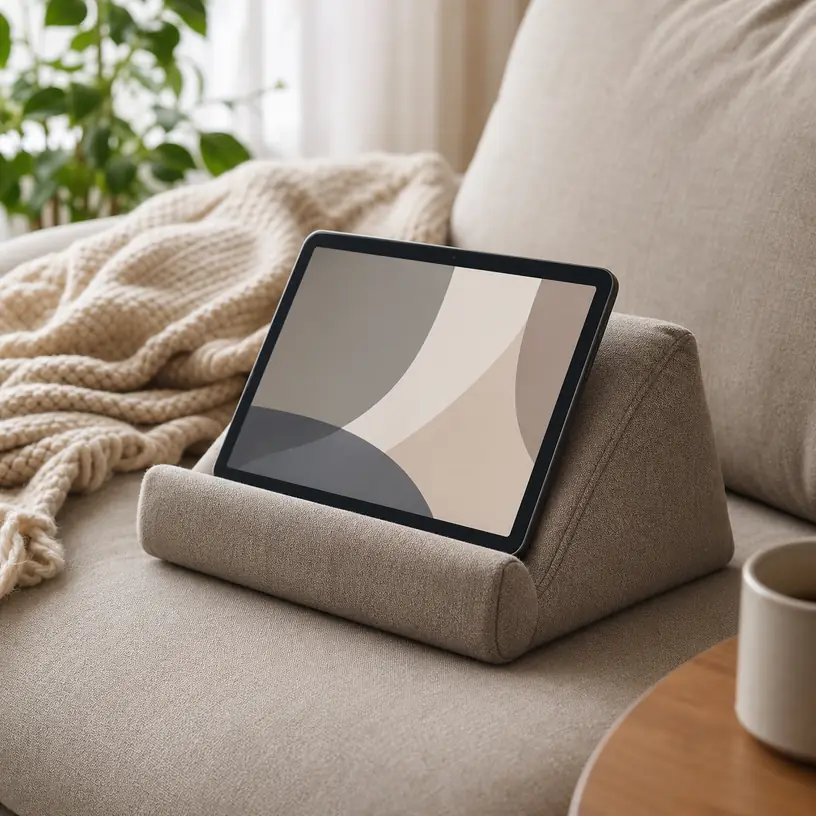
Illustrative image, not an official product photo.
Short answer
A tablet pillow stand is a soft support for relaxed reading, recipes, video calls, or long-form viewing where a rigid desk stand feels out of place. The useful choice is not simply the largest cushion. Match the stand’s ledge width and recommended device range to the tablet with its usual case attached, then look at how the viewing angle is created, whether the tablet remains clear of fabric, and how the base behaves on a sofa, bed, lap, or floor. A removable washable cover and unobstructed charging port make everyday use easier. Remember that a cushion stand is neither a protective case nor a precision mount: it may settle into soft upholstery, shift when the screen is tapped, and retain more warmth around a device than an open metal frame.
Search reference
Tablet pillow stands for reading
Compare supported device dimensions, ledge depth, viewing positions, case and port clearance, cover care, and stability on the surface where you plan to read.
View matching optionsBegin with the place where you actually read
A stand that behaves well on a dining table may not solve the problem that brought you to a pillow design. Soft tablet supports are most useful when the reading surface is irregular: a deep sofa cushion, a comforter, crossed legs, or the carpet beside a low chair. Each location puts the tablet at a different height and gives the base a different amount of support.
Try the intended spot with a closed book or a folded towel first. Note where the object naturally settles, how far it sits from your eyes, and whether you need portrait orientation for books or landscape orientation for magazines and video. If the tablet must sit on a narrow armrest, measure that space rather than assuming a broad wedge will balance there. For bed use, consider whether the stand will be placed on top of a blanket, across the lap, or beside you; those are three different stability problems.
A product photo on a firm, level surface cannot show how deeply a base will sink into your upholstery. A wide footprint generally distributes the load better, but overall width alone does not reveal the shape of the underside or how the filling moves. Check the stated dimensions, then compare them with the real area available around blankets, remotes, drinks, and other items.
Device fit includes the case, ledge, and screen edge
Tablet compatibility labels often list familiar size classes, but diagonal screen size does not describe the full exterior dimensions. Measure the tablet’s width and thickness while it is in the case you normally use. A folio folded behind the device, a rugged corner bumper, or a keyboard cover can make the assembly much thicker than the bare tablet.
The front ledge must be deep enough to stop the device from sliding, yet low enough that it does not cover an uncomfortable amount of the display. Check whether the ledge interferes with an on-screen navigation area, fingerprint sensor, stylus attachment point, or case flap. If a stylus is stored magnetically on an exposed edge, decide whether it can remain attached without being knocked off when the stand is moved.
Some cushion stands use one raised ridge; others provide several grooves or multiple faces that can be rotated into position. Look for the usable slot width and device-thickness guidance for each position. A heavily cased tablet may fit the upright groove but not the shallower reading groove. Conversely, a thin device in a very wide slot may rock noticeably when the screen is tapped.
Portrait placement deserves its own check. A tall tablet raises the center of gravity and may need more rear support than it does in landscape. Make sure the intended orientation is shown or explicitly supported, especially if the base is narrow or the reading angle is shallow.
How the stand makes an angle matters
A pillow stand can create viewing positions in several ways. A triangular cushion may be rotated so each face gives a different slope. A block-shaped model may place parallel grooves across the top. Another design may use a soft base with a firmer internal support. These arrangements feel different in daily use even when they advertise a similar number of angles.
Do not treat the number of positions as a guarantee that every one will suit your device and seat. A shallow angle can be convenient for tapping or drawing but may reflect overhead light. A steeper angle can improve straight-ahead viewing yet become less stable with a large tablet in portrait orientation. Multiple grooves also take up surface area and can collect crumbs or lint around their seams.
Consider how you change the angle. Rotating the entire cushion usually means lifting the tablet first. Moving between grooves may be faster, but only if the device clears the ridge without catching its case. If the support has separate pieces or a movable backrest, check how they remain aligned on a soft surface.
No fixed-angle accessory can automatically set a comfortable viewing position for every seat and user. Plan to move the whole stand, adjust your seating, and take breaks rather than relying on an “ergonomic” label as proof of a particular outcome.
Stability should survive a page turn
Reading involves frequent small touches. A stand can hold a static tablet nicely and still wobble each time you swipe a page, open a menu, or adjust brightness. Stability comes from the combination of base footprint, filling, internal structure, fabric grip, tablet weight, angle, and the surface underneath.
A very soft filling may conform pleasantly to the lap but compress or migrate after repeated use. A firmer foam shape may preserve its geometry better but feel bulkier to store. Listings do not always make the internal construction clear, so verify whether the support is a single foam form, loose fill, layered padding, or another arrangement. Also check whether it arrives compressed and whether the maker specifies setup or recovery time before use.
On a lap, leave enough room that the device cannot tip toward the floor when you shift position. On a bed or sofa, avoid perching the stand at an edge. Keep drinks and charging cables out of the likely fall path. A pillow holder does not clamp the tablet, and its soft exterior does not provide drop protection.
Who this is for
- Readers who use a tablet on a sofa, bed, floor cushion, or lap and want a softer alternative to a desktop mount.
- People who switch between portrait reading and landscape viewing, provided the chosen stand supports both orientations with their device.
- Households that want a portable support for ebooks, digital magazines, recipes, video calls, or casual viewing in more than one room.
- Tablet users who prefer a broad base without clamps, hinges, or a surface that must accept an adhesive pad.
- Buyers willing to measure a cased device and check each position rather than relying only on a screen-size label.
- Anyone who values a removable cover and can follow the separate cleaning directions for the cover and inner form.
Who should skip it
- Choose a rigid adjustable stand if you need precise height, tilt, or repeatable camera framing at a desk.
- A clamped arm or purpose-built mount may suit a workstation better when the tablet must remain elevated above the surface.
- Skip a pillow design if the available resting area is narrower than its base or frequently disturbed by children or pets.
- A user who types extensively on the screen may find a soft base too mobile under repeated pressure.
- Do not use a passive cushion as an equipment mount in a moving vehicle or any location where the tablet must be mechanically secured.
- If the tablet already runs unusually warm, investigate the device, app, case, and charging setup rather than surrounding it with more fabric.
What to verify before buying
- Overall device range: Compare maximum stated dimensions with the tablet’s real length, width, and thickness in its everyday case.
- Ledge or groove width: Confirm that the cased device can enter fully without forcing seams or leaving it loose enough to rock.
- Screen clearance: Check how much of the lower bezel or display the front support covers in both orientations.
- Viewing positions: Identify whether angles come from rotation, separate grooves, an insert, or another mechanism, and which positions support portrait use.
- Base dimensions: Measure the sofa arm, lap area, bedside space, or other intended surface against the full footprint.
- Port access: Locate charging, speaker, button, camera, and stylus areas for the orientations you plan to use.
- Cover construction: Look for a genuinely removable cover, the closure location, fabric-care instructions, and whether the inner form can be cleaned.
- Internal support: Verify the described filling or foam structure and any instructions for unpacking, reshaping, or restoring it after compression.
- Carrying details: Check total size and weight as well as any handle; soft does not necessarily mean compact enough for a travel bag.
- Condition on arrival: Inspect seams, zipper ends, grooves, foam shape, fabric tension, and any internal support before placing a device on it.
Charging and heat need open space
Reading sessions often overlap with charging, but a cable can change how the tablet sits. Check whether the port remains above the ledge and whether the plug can enter without a sharp bend. A right-angle connector and a straight connector need different clearance. Route the cable so it does not pull the device sideways or create a loop where someone may catch a foot or hand.
Fabric can obstruct vents, speaker openings, or exposed areas of the case. Follow the tablet and case makers’ guidance for operation and charging, keep required openings clear, and stop using the setup if the device shows a temperature warning or behaves abnormally. Do not place the entire arrangement under bedding, and do not assume that a groove visible in a photo provides adequate airflow for every tablet.
If you mainly use demanding games, video editing, or other workloads that make the device warm, an open rigid stand may allow more exposed surface area. The same may be true when the tablet must remain connected to a dock, hub, keyboard, or several cables. A pillow support is primarily a positioning accessory, not a cooling product or cable-management system.
Cover care determines whether the stand stays pleasant to use
A removable cover is helpful around snacks, pets, makeup, and everyday dust, but “removable” does not always mean machine washable. Read the care label for the exact fabric. Before washing, note how the cover fits around grooves and corners so it can be reinstalled without twisting the support.
The inner form may have completely different care limits. Loose fill, molded foam, and structural inserts should not be soaked unless the instructions explicitly permit it. For a small mark, spot treatment may be safer than saturating the cushion. Let every component dry fully before returning the tablet; residual moisture has no place next to charging electronics.
Look at zipper placement as well as washability. A zipper or pull resting against a finished table could scratch it, while an exposed closure under the tablet might press into a thin case. After cleaning, inspect seams and verify that the inner form has returned to the intended orientation before trusting the ledge again.
Limitations
- A soft base can compress, settle, or tilt differently on each sofa, mattress, blanket, or lap.
- Fixed grooves provide a limited set of angles and normally do not raise the tablet to eye level like an adjustable desktop arm.
- A tablet may wobble during frequent tapping even when it remains stable for passive reading or viewing.
- Device-size claims may not account for a thick folio, keyboard case, rugged shell, stylus, or attached cable.
- Fabric surrounding more of the device may leave less open area for heat to dissipate than a minimal frame.
- The stand does not grip the tablet like a clamp and offers no guarantee against falls, spills, or impact.
- A broad cushion can be awkward to pack and may not regain its shape immediately after being compressed.
- Comfortable positioning still depends on the chair, viewing distance, lighting, session length, and the person using it.
Alternatives to compare
A folding tabletop stand packs smaller and often offers more tilt adjustment, but its feet need a fairly firm surface. A weighted desktop stand can raise the screen and resist taps at a work area, though it is less convenient to carry between rooms. A clamp-mounted tablet arm clears desk space and offers a wider positioning range when attached to a suitable structure; confirm attachment limits and keep the tablet away from pinch points. A folio case with a built-in stand travels with the device and adds little extra bulk, but it may offer only one or two orientations. If the goal is simply to read with fewer interruptions, a lightweight e-reader cover stand sized for a specific smaller device may be less cumbersome than a universal cushion.
FAQ
Will a tablet pillow stand work with a thick case?
It depends on the usable width and depth of the ledge or groove, not just the advertised screen-size range. Measure the tablet at its thickest point with the case installed, including a folded folio flap, and compare that number with the current fit guidance for each viewing position.
Can I use the same stand in portrait and landscape orientation?
Many designs can support both, but portrait placement raises the center of gravity and may be less stable at a shallow angle. Confirm that portrait use is shown or specified for your device range, then test it away from the edge of furniture before settling in to read.
Is a tablet pillow stand suitable for typing or drawing?
It can handle occasional taps and short notes, especially at a low angle, but a soft base may move under repeated pressure. For sustained typing, precise stylus work, or keyboard use, compare a rigid stand that rests on a firm work surface.
Can I charge the tablet while it is in the cushion stand?
Only when the port and plug remain unobstructed, the cable is not sharply bent or pulling sideways, and the device instructions permit the setup. Keep fabric and bedding away from required openings, follow charging guidance, and stop if the tablet displays a temperature warning.
How do I clean a tablet cushion holder?
Remove the tablet and cable first. Follow the label separately for the outer cover and inner support; a removable cover may be washable while foam or fill is spot-clean only. Reassemble the stand only after every layer is completely dry and the support has returned to its intended shape.
Is a pillow stand safe to use on the edge of a bed?
It should be placed well back from the edge on a surface broad enough for its full base. Because the device is supported rather than clamped, shifting blankets, a cable tug, or a change in position can still tip it. Keep the likely fall area clear and move the stand before getting up.