Rechargeable Under-Cabinet Lights: Plan the Placement Before You Pick the Features
Product links are for reference. Verify current details on the retailer page before buying.
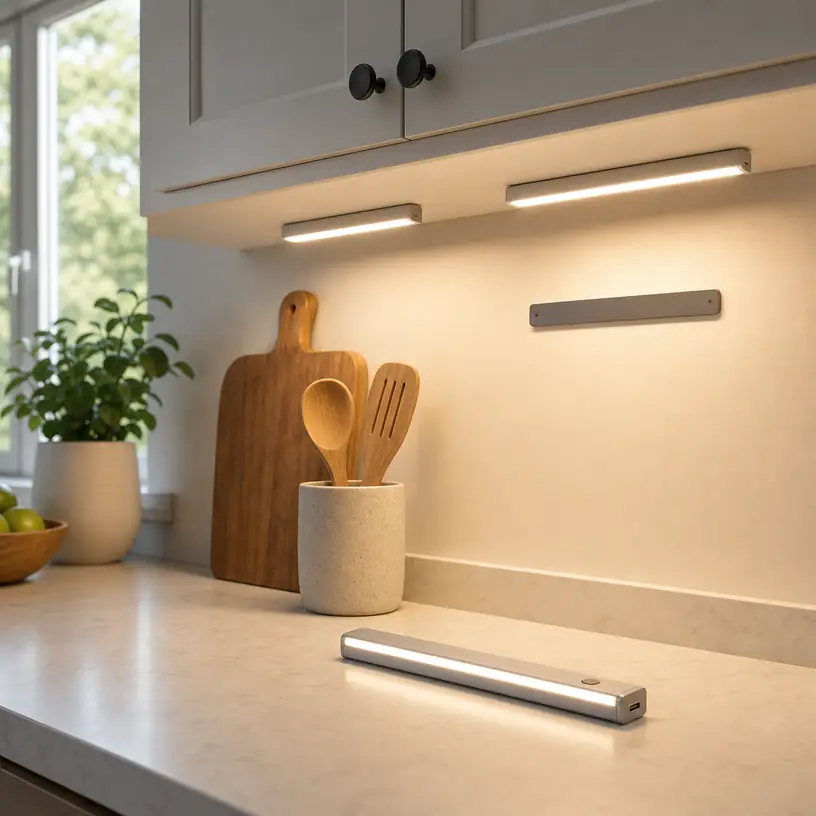
Illustrative image, not an official product photo.
Short answer
Rechargeable under-cabinet lights make the most sense where a dim counter, closet shelf, or pantry needs occasional illumination but a new outlet or permanent fixture would be disproportionate. Before comparing brightness modes, map the area you actually need to see. Measure the usable mounting surface, note where cabinet lips and hinges cast shadows, and identify a convenient charging route. A removable light bar with sensible controls can be more useful than a feature-heavy model that must be charged in an awkward place. For a busy food-preparation zone used for hours each day, however, wired lighting may offer more consistent output and less maintenance.
Search reference
Rechargeable under-cabinet light options
Compare bar length, beam spread, manual and sensor controls, charging access, removable mounting, color settings, and the maker's runtime conditions for the mode you expect to use.
View matching optionsStart with the dark spot, not the light bar
A staged kitchen photo can make one slim bar appear to illuminate an entire counter. Real cabinets complicate that picture. A deep face frame may block light near the front, a glossy backsplash may reflect individual light points, and a tall appliance can divide one mounting area into separate zones. Instead of choosing by the number of lights in a package, decide where shadows interfere with a task.
For food preparation, the useful target is usually the work surface near the front of the cabinet rather than the backsplash. In a pantry, a wider beam may matter more because items sit at different depths. Inside a wardrobe or utility cupboard, control placement and reliable activation can be more important than color appearance. One product type can serve all three spaces, but the ideal mounting position will not be the same.
Use painter’s tape to mark possible bar locations before buying. Check whether the cabinet door opens normally, whether the light would be visible and distracting from a seated position, and whether you can reach its switch without brushing against hot cookware or stored items. This simple layout exercise also reveals whether one long bar or several shorter bars would be easier to place.
Who this is for
- Renters who need local task or storage lighting without adding a hardwired fixture.
- Households with a dim section of counter that is used briefly rather than continuously.
- Pantry, closet, linen-cabinet, or utility-shelf users who want light only when the space is opened or approached.
- People who value a removable light for charging and occasional repositioning.
- Anyone testing whether a location benefits from added light before considering a permanent installation.
Rechargeable bars are especially practical when there is no nearby receptacle and the light can be removed without disturbing the mounting base. They can also provide a tidy appearance because no power cable needs to remain visible during use.
Who should skip it
- A kitchen that needs dependable task lighting for long daily sessions may be better served by a listed wired or plug-in system.
- Anyone unable or unlikely to remove and recharge lights regularly should avoid making them the only illumination for an important work area.
- A location exposed to substantial heat, steam, grease, or splashing needs a product explicitly suited to that environment; a generic indoor light should not be assumed appropriate.
- Delicate cabinet finishes, loose veneer, textured surfaces, and recently painted areas may be poor candidates for adhesive mounting.
- If the light would be mounted above a sink, cooktop, or other demanding location, installation and product suitability require more care than a convenient magnetic strip alone can provide.
What to verify before buying
- Usable dimensions: Compare the complete light and mount with the flat area beneath the cabinet, including hinges, trim, shelf pins, and door movement.
- Beam direction and spread: Look for enough adjustment or diffusion to illuminate the work surface without putting a bright source directly in your line of sight.
- Control logic: Confirm whether the light offers a true manual mode, an automatic sensor mode, and an off setting, and learn how those modes behave in daylight.
- Sensor arrangement: Check the stated detection direction and range rather than assuming a sensor under one cabinet will notice movement at every approach angle.
- Charging method: Verify the connector, included accessories, expected input, charging indicators, and whether the bar must be removed from its mount.
- Runtime context: Compare estimates for the brightness and control mode you intend to use. Intermittent sensor operation and continuous high output create very different charging schedules.
- Mounting system: Determine whether the package uses magnets, metal plates, clips, screws, adhesive, or a combination, and whether replacement mounting material is available.
- Light appearance: If food color or coordinated room lighting matters, check the described color temperature settings and any color-rendering information supplied for the current option.
- Package contents: Do not infer that every bar comes with its own cable, adapter, magnetic plate, or spare adhesive pad.
- Use restrictions: Read the instructions for indoor location, moisture, temperature, charging, mounting orientation, and cleaning.
Choose coverage by testing the geometry
Bar length alone does not determine coverage. Mounting a light near the wall can create a bright backsplash and leave the front cutting area dim. Moving it forward may improve task visibility but make the lamp itself more noticeable. A fixed beam can work well if its factory angle suits the cabinet; a swiveling or tilted mount gives more control but adds depth and another joint that must remain stable.
Before installation, hold a flashlight or temporary lamp at several points beneath the cabinet after dark. Place an ordinary cutting board, coffee maker, or storage bin in its normal position and watch how the shadows move. If a single object blocks most of the light, two shorter sources on either side may work better than one central bar. If the countertop is glossy, look from the usual standing and seated positions for reflected glare.
Spacing also affects whether separate bars look like one continuous pool of light or several bright islands. Product listings may not provide a reliable spacing formula because cabinet height, beam shape, surface color, and ambient lighting differ. When buying a multipack, a removable mount lets you test the positions before committing every adhesive pad.
Manual switches and motion sensors solve different problems
Motion sensing is convenient in a pantry or closet where your hands may be full. Under a kitchen cabinet, it can be less predictable. Normal arm movement may keep the light active, or the sensor may face the wrong direction and miss someone working nearby. A model that only activates in low ambient light may remain off while the room is bright even when the counter itself sits in shadow.
Look beyond the word “automatic.” Find out whether the sensor mode is intended for darkness, whether there is a continuous-on option, and how long the light stays on after movement stops. A long delay can use more battery in a frequently crossed room; a short delay can be frustrating when you are standing relatively still to read a label or prepare food.
A physical switch is useful when predictable light matters. Its location should remain reachable after mounting, and pressing it should not dislodge the bar or change its angle. Touch controls can create a clean surface but may be hard to locate under a cabinet without looking. Remote controls can coordinate several lights, yet they introduce another item to store and may not control every bar independently. Choose controls that fit the routine rather than maximizing the number of modes.
Plan charging as part of the installation
Rechargeable lighting exchanges visible wiring for periodic maintenance. A bar that detaches cleanly can be carried to a convenient outlet; a fixed bar may require bringing a cable or power bank into the kitchen. Check whether the mounting method still holds securely after repeated removal and whether the charging port remains accessible without twisting the connector against the cabinet.
Runtime claims need context. Brightness level, sensor activity, battery age, ambient temperature, and indicator behavior can all influence the time between charges. Estimate usage from your own room: a pantry light that activates for a minute a few times per day has a different job from a counter light left on throughout dinner preparation. Choose enough capacity for that pattern, but expect to recharge before the battery is completely depleted if consistent output matters.
If several bars use the same charging setup, consider how many can charge at once and where they will rest safely. Confirm rather than assume that one cable or power source can support simultaneous charging. Follow the supplied charging instructions, keep connectors dry, and replace a unit if the enclosure, battery, or cable shows damage.
Mounting without surprising the cabinet finish
Many rechargeable bars are described as magnetic even when the cabinet itself is not. The package may use an adhesive-backed metal plate that remains on the surface while the light detaches. This is convenient, but the adhesive becomes the critical connection. Grease, cleaning residue, uneven wood grain, humidity, and heat can weaken the bond. Strong adhesive can create the opposite problem by lifting paint or veneer during removal.
Read the surface preparation and curing instructions for the chosen product. Do not add the weight of the light immediately if the instructions require waiting. Test an inconspicuous area when appropriate, and avoid assuming that “removable” means risk-free on every finish. Mechanical clips or screws may be more dependable on suitable cabinetry, though they create holes and require careful placement. Renters should obtain permission where needed.
Mount the bar so a falling unit would not land on food, glassware, water, or a hot surface. After installation, tug only as directed and observe the mount over the first several days. A slowly separating plate, curling adhesive edge, or shifting light is a reason to remove it and reassess the surface rather than press it back repeatedly.
Color and brightness should support the room
Very cool light can look stark beside warm ceiling fixtures, while very warm light may change how food and countertop colors appear. Adjustable color settings are useful when the surrounding lighting varies, but only if switching between them is straightforward. If multiple bars will operate together, verify whether their settings remain synchronized and whether they remember a previous selection.
Maximum output is not always the most comfortable setting. A lower level can reduce glare from stone, tile, or polished appliances and may extend the interval between charges. Diffusers can soften individual light points, although the effect depends on the fixture design and distance to the counter. Treat published brightness and color information as a starting point, then evaluate whether the current product supplies enough detail for comparison.
Limitations
- Rechargeable lights require an ongoing charging routine and may dim or stop at an inconvenient time.
- Adhesive mounting can fail on unsuitable surfaces or damage a finish during removal.
- Motion sensors may react differently as room light, approach angle, and surrounding obstacles change.
- A slim bar can create glare or uneven patches if its beam and mounting position do not suit the cabinet geometry.
- Battery capacity declines with age and use, and many integrated batteries are not intended for easy user replacement.
- Generic indoor lights should not be assumed suitable near significant heat, moisture, or cooking residue.
- Multiple independent bars may need separate control and charging, making a larger installation less convenient than it first appears.
Alternatives to compare
A plug-in under-cabinet light avoids routine recharging and can suit a counter near a receptacle, though cable routing may be visible. A hardwired fixture provides a more permanent, integrated solution for frequently used task areas and should be selected and installed in accordance with applicable instructions and electrical requirements. Battery lights with replaceable cells can work for low-use storage areas where spare batteries are easier to manage than charging cables. A small countertop task lamp requires surface space but avoids attaching anything to the cabinet. For a pantry or wardrobe, a door-activated light may be more predictable than motion detection if compatible hardware and installation are available.
FAQ
How many rechargeable light bars do I need under one cabinet run?
There is no reliable count based on cabinet length alone. Beam width, mounting height, trim, surface reflectance, and obstacles all change coverage. Mark possible positions and test the shadows first; one long bar may suit an open stretch, while two shorter bars can work around an appliance or divider.
Will a motion-sensor light turn on during the day?
That depends on its control logic. Some sensor modes respond only when ambient light is below a threshold, while others detect movement regardless of room brightness. Check the current instructions for each mode, especially if the counter remains dark while the rest of the kitchen is bright.
Can magnetic under-cabinet lights attach directly to wood cabinets?
Wood is not normally a magnetic mounting surface. Many products include a metal plate, clip, or adhesive-backed strip that attaches to the cabinet and holds the removable light. Confirm what the package includes and whether that attachment method is suitable for the finish.
Is USB-C enough to know which charger will work?
No. The connector shape does not by itself confirm the required input, supported charging behavior, cable type, or included power source. Follow the current product instructions and use a compatible power source rather than assuming every USB-C setup behaves identically.
Are rechargeable lights suitable above a sink or cooktop?
Do not assume a general indoor light is suitable for moisture, heat, steam, grease, or splashing. Check the maker’s location and installation restrictions. A purpose-suited permanent fixture may be a safer and more durable choice for demanding areas.
Should I choose warm or cool under-cabinet lighting?
Match the setting to the room and task. Warm light can blend with warm household fixtures, while a neutral setting may make a preparation surface appear clearer to some users. Adjustable models offer flexibility, but consistent color between multiple bars and simple controls may matter more than a long list of settings.