Laptop Privacy Screen Filters: Measure the Display Before You Order
Product links are for reference. Verify current details on the retailer page before buying.
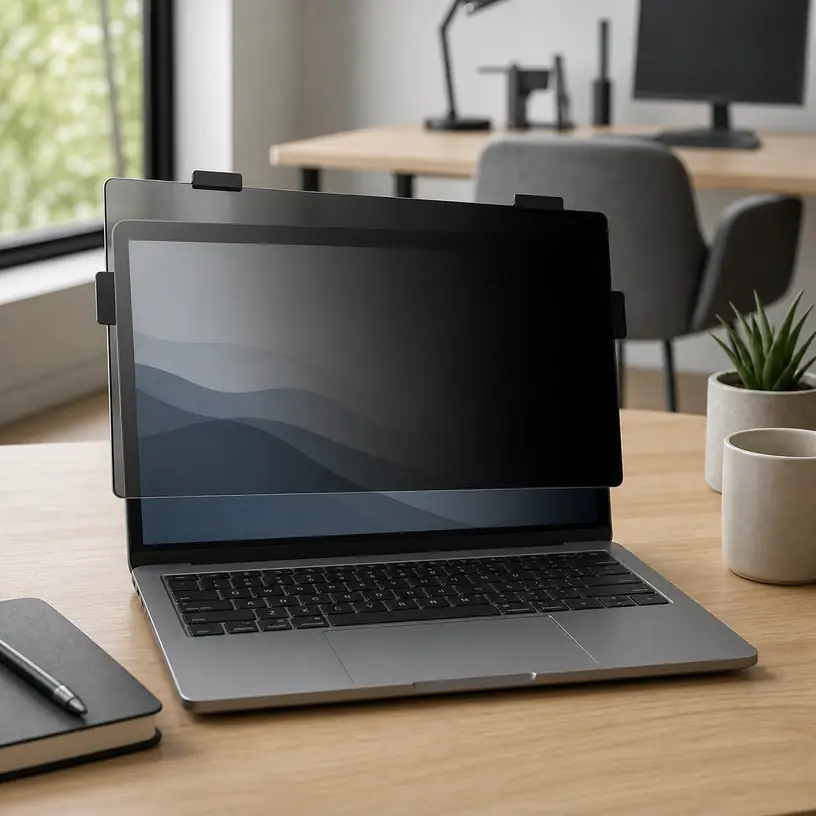
Illustrative image, not an official product photo.
Short answer
A privacy filter should be chosen for the laptop’s visible display area and aspect ratio, not for the computer’s overall width or its marketing name alone. Measure the illuminated rectangle without counting the bezel, then compare both dimensions with the filter maker’s fit chart. Decide whether the screen needs to stay attached every day or come off for color-sensitive work: slide tabs support repeat removal, while adhesive or magnetic systems have different bezel and lid-clearance requirements. Expect a narrower side-viewing zone and some change in brightness or appearance, but do not treat the accessory as protection against someone standing directly behind you, cameras, malware, or exposed information left on screen.
Search reference
Compare laptop privacy screen filters
Match the visible display dimensions and aspect ratio first, then compare mounting style, removability, finish, touch compatibility, and lid clearance.
View matching optionsThe diagonal number is only a starting point
Two laptops can share a stated diagonal size and still use screens with different proportions. A filter made for a wider 16:9 display will not neatly cover a taller 16:10 panel at the same diagonal. Rounded display corners, edge-to-edge glass, a raised bezel, a camera notch, and sensors near the top border can complicate the match further.
Open the laptop and measure the width and height of the active display—the part that shows an image. Keep those numbers separate from the outer lid and bezel measurements. Record the model identifier if it is available, but use a compatibility list only when the listing clearly distinguishes variants and production years. A broad claim such as “fits 14-inch laptops” is not enough to resolve differences in aspect ratio or bezel layout.
Product dimensions can also be ambiguous. Some listings describe the filter panel itself; others emphasize the compatible screen diagonal or include tabs in an overall measurement. Look for a diagram that identifies what was measured. If the filter is designed to sit inside a raised bezel, its exact panel dimensions matter. A magnetic frame that overlaps the border may use a different sizing method.
Who this is for
- Commuters who sometimes work with ordinary documents in shared seating areas.
- Students moving between libraries, classrooms, and other side-by-side workspaces.
- Hybrid workers who want an extra visual barrier when a private desk is unavailable.
- Laptop owners who can verify their active display dimensions and select a compatible mounting system.
- People who prefer a removable filter for travel and can store it flat between uses.
Who should skip it
- Skip a privacy filter if accurate color, wide-angle collaboration, or maximum display brightness is more important during most sessions.
- Choose better seating or a more private location when people can stand directly behind the screen.
- Do not rely on a filter as a substitute for screen locking, account security, careful document handling, or workplace privacy procedures.
- Avoid an adhesive mount if the laptop maker’s care guidance restricts attaching materials to the bezel or glass.
- A generic filter is a poor gamble when the listing provides no dimensions, aspect ratio, or mounting-clearance information.
Pick an attachment method for the way the laptop travels
Slide tabs are small guides placed around the display border. The filter slips into them and can be removed when several people need to see the screen. Check the number and position of the tabs, whether their adhesive contacts glass or bezel, and whether the panel can slide out without striking a camera bump. Tabs that project above the surface can also affect how fully a thin laptop closes.
Adhesive strips or dots hold the filter directly against the display area or surrounding border. They create fewer loose parts, but alignment and residue handling deserve attention. Verify whether the attachment is described as reusable, where it is intended to contact the laptop, and how it should be removed. Do not substitute household tape or solvent-based cleaning for the provided instructions.
Magnetic frames can make removal convenient when the computer has a compatible flat border. Magnets do not make a filter universal: frame width, sensor placement, webcam clearance, and the gap between keyboard and display when closed still matter. Confirm that the exact laptop is supported and that the computer maker does not prohibit the arrangement.
Some products offer more than one mounting option in the package. That flexibility is useful only when the included pieces suit the display construction. Count what is supplied and check whether replacement tabs or strips are available if the filter will move frequently.
What to verify before buying
- Active display width and height: Measure the visible image area and compare both dimensions, not only the diagonal label.
- Aspect ratio: Confirm whether the laptop uses 16:9, 16:10, 3:2, or another proportion and match the filter accordingly.
- Bezel and corner shape: Note raised edges, curved corners, edge-to-edge glass, notches, cameras, light sensors, and infrared components.
- Mounting method: Check where tabs, adhesive, or a magnetic frame will touch and how the filter is removed.
- Closing clearance: Determine whether the laptop can close as intended with the complete attachment system installed.
- Privacy direction: Verify whether the narrowing applies primarily from the left and right or is described for additional directions.
- Intended viewing range: Review the maker’s angle guidance while remembering that real results depend on positioning and display settings.
- Surface finish: Compare matte and glossy sides, if reversible, for reflections, texture, and the work you normally do.
- Touch and pen use: Confirm explicit compatibility with the exact touchscreen or pen workflow rather than assuming any thin panel will work.
- Care and storage: Check the approved cleaning method and whether a rigid sleeve or other flat storage is included.
Privacy has a direction and a seating geometry
Most laptop filters are intended to reduce readability from off-center side positions while leaving a usable view for the person facing the display. That means seating arrangement matters. A person directly behind your chair may have a view close to the same central axis, and someone looking from above may not be affected in the same way as a person beside you. Read how the particular filter describes its directions instead of assuming all-around coverage.
The user also has to remain near the intended centerline. If the laptop sits far to one side, is rotated toward a colleague, or is used with a very low seat, the owner may encounter the same darkening that is meant for neighboring viewers. Before opening sensitive material, arrange the chair and display, look at the surroundings, and apply the organization’s privacy rules. A filter is a supplemental visual control, not permission to ignore the room.
When collaboration starts, removal may be simpler than increasing brightness or asking everyone to crowd into the center. This is where a repeatable mounting system and safe storage become valuable. If the panel will come off several times a day, compare the complete removal routine rather than just the filter thickness.
Expect a visual tradeoff
Filtering off-axis light can change the on-axis experience too. The screen may appear dimmer, reflections may shift, and fine detail can look different through an added surface. Raising display brightness can affect battery runtime, so test a newly arrived filter under the lighting conditions and power settings you actually use. Product wording cannot guarantee the same result across every panel type and room.
A matte face can soften reflections in some settings but may introduce visible texture or reduce perceived crispness. A glossy face may preserve a different look while showing more direct reflections. Reversible designs let you compare the two, provided the product is truly intended to be mounted either way. People editing photos, preparing print colors, or sharing detailed visual work may prefer to remove the filter during those tasks.
Blue-light or glare wording should not be confused with side-view privacy, and a privacy filter should not be treated as medical eye protection. Choose it for its stated visual function, arrange sensible ambient lighting, and follow qualified guidance for any vision or comfort concerns.
Installation and daily handling
Clean the display only with methods approved by the laptop and filter makers, and let every surface dry before attachment. Lay out the parts first, identify the intended face, and test alignment without pressing permanent adhesive. The panel should cover the active area without blocking the camera, microphones, indicators, or sensors identified in the computer documentation.
After installation, close the laptop slowly the first time. Stop if the filter, frame, or tabs meet the keyboard deck or create resistance. Thin modern lids are not designed to have an arbitrary object compressed between their surfaces. If the instructions call for removal before closing or transport, make that part of the routine.
A removed filter should be held by its edges and stored flat. Sliding it loose beside cables, pens, or a power adapter can scratch or bend the surface. Keep any cleaning cloth free of grit, and follow the filter’s instructions for fingerprints rather than using an unapproved spray.
Limitations
- A side-view filter does not reliably hide the display from a person directly behind the user.
- Fit labels based only on diagonal size can be misleading when aspect ratios and bezel designs differ.
- The panel can reduce apparent brightness or alter contrast, reflections, sharpness, and color perception.
- Tabs, frames, and adhesive can interfere with sensors or safe lid closure when poorly matched or installed.
- Touch and pen response may change, even when a product is marketed for touchscreen use.
- The filter does not secure accounts, prevent screen capture, stop malware, or replace careful handling of confidential information.
Alternatives to compare
A better seat or privacy-aware desk position: A wall behind the user and fewer passing sight lines can address angles a side-view filter does not cover.
A monitor hood or workspace partition: Useful at a fixed desk when controlling surrounding light or neighboring sight lines matters more than portability.
A removable magnetic filter made for the exact laptop: Worth comparing when frequent collaboration makes fast removal important, but compatibility and closure clearance remain essential.
A portable monitor used only in private spaces: This separates collaborative and sensitive workflows, although it adds power, cable, storage, and placement requirements.
Software and operating habits: Automatic screen locking, limited notification previews, careful window placement, and approved access controls solve different exposure risks that a physical filter cannot.
FAQ
Do I measure the laptop lid or the visible screen for a privacy filter?
Measure the active image area—the illuminated rectangle—unless the filter maker explicitly requests a different measurement. Record its width and height and compare the aspect ratio. The outer lid and bezel can still matter for attachment, but they should not replace active-area measurements.
Will any 14-inch privacy screen fit a 14-inch laptop?
No. A diagonal label can cover displays with different aspect ratios, active-area dimensions, corners, bezels, cameras, and sensors. Use a dimensioned fit chart or an exact, clearly identified laptop compatibility listing.
Can I close my laptop with the privacy filter attached?
Only when the filter and laptop instructions allow it and there is adequate clearance for the panel, tabs, strips, or frame. Close the lid slowly after installation and stop if anything creates resistance. Some systems are intended to be removed first.
Does a laptop privacy filter work against someone standing behind me?
Not necessarily. Many filters primarily narrow the readable view from the left and right. A person close to the user’s central viewing axis may still see the display, so seating position and normal information-security practices remain important.
Are privacy filters suitable for photo or design work?
They can change brightness, reflections, sharpness, contrast, or color appearance. For work that depends on accurate visual judgment, a removable filter may be more practical so it can be taken off in an appropriately private workspace.
Will a privacy screen filter still work with touch input?
Some are designed for touchscreens, but compatibility and feel vary with the display, attachment, and panel construction. Confirm the exact product’s touchscreen and pen guidance, then test the full screen and closing clearance after installation.